Optimizing images
Show photos with next/image: local and remote images, width, height and fill, sizes and srcset, preload, blur placeholders, and the optimizer's security settings.
- 01Show photos without layout shiftUse next/image with a static import, a public path or a remote address, and give each photo its size or a box to fill.
- 02Send the right fileWrite sizes so the browser picks a small enough file from the srcset, and preload the photo that matters most.
- 03Keep the optimizer safeAllow remote photos with remotePatterns, and read the 400 the optimizer sends for anything else.
The tea shop gets a photo
A photo straight from a camera is big: thousands of pixels wide, and often several megabytes. A phone with a screen 400 pixels wide downloads all of it, then shrinks it. A plain <img> also has no size until the file arrives, so the text under it jumps down when it does. Next.js's Image component, Image from next/image, renders an <img> that fixes both: it asks for a copy of the photo at the size the screen needs, in a smaller format, and it keeps the photo's space from the start.
Here is the tea shop's home page with a photo of mint tea, a JPEG 1,600 pixels wide that sits next to the page in app. It's a real Next.js 16.4.3 project. The Browser tab shows the page as real Chrome drew it.
app/page.tsximport Image from "next/image";import mintTea from "./mint-tea.jpg"; export default function HomePage() { return ( <main> <h1>Tea shop</h1> <Image src={mintTea} alt="A cup of mint tea on a saucer" width={400} /> <p>Mint tea, $3 a box.</p> </main> );}GET /200
- Response headers
Varyrsc, next-router-state-tree, next-router-prefetch, next-router-segment-prefetch, Accept-Encodingx-nextjs-cacheHITx-nextjs-prerender1x-nextjs-stale-time300X-Powered-ByNext.jsCache-Controls-maxage=31536000Content-Typetext/html; charset=utf-8
The HTML that arrived, one element per line, with the code of its 17 scripts left out
<!DOCTYPE html>
<html lang="en">
  <head>
    <meta charset="utf-8">
    <meta name="viewport" content="width=device-width, initial-scale=1">
    <link rel="stylesheet" href="/_next/static/chunks/0b5zjm047lwhu.css" data-precedence="next">
    <link rel="preload" as="script" fetchpriority="low" href="/_next/static/chunks/31qp8jfkw0x2h.js">
    <script src="/_next/static/chunks/0i46y6vlt4sc3.js" async=""></script>
    <script src="/_next/static/chunks/20box33a0_n53.js" async=""></script>
    <script src="/_next/static/chunks/turbopack-3-ry682tkyiqk.js" async=""></script>
    <script src="/_next/static/chunks/1tq6ppe__m8m-.js" async=""></script>
    <script src="/_next/static/chunks/0bts8xcjgykqh.js" async=""></script>
    <title>Tea shop</title>
    <script src="/_next/static/chunks/0cz1d0mv5g_q7.js" nomodule=""></script>
  </head>
  <body>
    <div hidden="">
      <!--$-->
      <!--/$-->
    </div>
    <!--&-->
    <main>
      <h1>Tea shop</h1>
      <img alt="A cup of mint tea on a saucer" loading="lazy" width="400" height="267" decoding="async" data-nimg="1" style="color:transparent" srcset="/_next/image?url=%2F_next%2Fstatic%2Fmedia%2Fmint-tea.3hpoavs8o5i69.jpg&w=640&q=75 1x, /_next/image?url=%2F_next%2Fstatic%2Fmedia%2Fmint-tea.3hpoavs8o5i69.jpg&w=828&q=75 2x" src="/_next/image?url=%2F_next%2Fstatic%2Fmedia%2Fmint-tea.3hpoavs8o5i69.jpg&w=828&q=75">
      <p>Mint tea, $3 a box.</p>
    </main>
    <!--$-->
    <!--/$-->
    <!--/&-->
    <script id="_R_">…</script>
    <script src="/_next/static/chunks/31qp8jfkw0x2h.js" async=""></script>
    <script>…</script>
    <script>…</script>
    <script>…</script>
    <script>…</script>
    <script>…</script>
    <script>…</script>
    <script>…</script>
    <script>…</script>
    <script>…</script>
  </body>
</html>
The stylesheet the HTML links, with the CSS Next.js built for it, laid out to read
/_next/static/chunks/0b5zjm047lwhu.cssbody { color:#1f2a24; background:#f6f3ea; margin:0; font-family:system-ui,sans-serif } main { padding:8px 24px }
Line 1 of app/page.tsx imports Image. Line 2 imports the photo itself: a static import, which gives an object with the file's address, width and height. Open app/mint-tea.jpg in the file tree to see the photo. Line 8 renders it with an alt text, which screen readers read out, and width={400}: Next.js works out the height from the file, 267.
The Network tab opens on the HTML. The <img> has width="400" height="267", loading="lazy", and a srcset: a list of files the browser can choose from. Each one is an address of the image optimizer, /_next/image, with the photo's address (url), a width (w=640 for screens with one device pixel per CSS pixel, 1x, and w=828 for 2x) and a quality (q=75). The build copied the photo to /_next/static/media/, under a name with a code made from its content. Pick the second request: the 1x file, asked for the way Chrome asks. The answer is an image/webp, 640 by 427 pixels, 4.0 kB.
/_next/image for the green tea photo, 640 pixels wide. Next.js reads the 91.9 kB JPEG from public, makes a 3.9 kB WebP, sends it, and keeps it: the next request for it is a HIT.A print shop keeps one big original of each photo. A customer fills in an order form with the photo and the frame's size, and gets a print that fits. The shop keeps a copy of each print it makes, so the next customer with the same order gets it at once.
- In real life: The big original photo, kept in the back
- In Next.js: The file in app or public
- In real life: A print in the size each customer's frame needs
- In Next.js: A copy from /_next/image, resized and in WebP
- In real life: The order form, with the photo's name and the size
- In Next.js: The /_next/image address: url, w and q
- In real life: Prints kept on the shelf for the next customer
- In Next.js: The optimizer's cache: the next request is a HIT
next/image renders an <img> whose files come from the image optimizer, at /_next/image. The optimizer resizes each photo to the width the browser picks from the srcset, converts it to a smaller format, and keeps the result. width and height keep the photo's space, photos are lazy by default, and a remote fetch only starts at an address you allow.
Local and remote images
src can be a photo of your own, or one on another server. A photo of your own comes two ways. A static import, like the mint tea photo, gives Next.js the file at build time: it knows the width and height, and the build copies the file to /_next/static/media/ under a name with a code made from its content, so the address changes whenever the file does. A file in the public folder is served at the site's root as it is: public/teas/green-tea.jpg is at /teas/green-tea.jpg. A path like that is only text, so you write the size yourself. (Static files and the public folder, later in this stage, has more on both.)
app/page.tsximport Image from "next/image"; export default function HomePage() { return ( <main> <h1>Tea shop</h1> <Image src="/teas/green-tea.jpg" alt="A cup of green tea on a saucer" width={400} height={267} /> <p>Green tea, $4 a box.</p> </main> );}GET /teas/green-tea.jpg200
- Response headers
Cache-Controlpublic, max-age=0Content-Typeimage/jpeg
The body that arrived is an image, image/jpeg: 1600 × 1067 pixels, 91.9 kB
Line 7 of app/page.tsx points at /teas/green-tea.jpg, which is public/teas/green-tea.jpg in the file tree, with width={400} and height={267}. The Network tab opens on the original file, served from public as it is: image/jpeg, 1,600 by 1,067 pixels, 91.9 kB. The next three requests ask the optimizer for it, 640 pixels wide.
A remote photo is an absolute address, like https://images.example.com/teas/oolong.jpg. Next.js can't read its size, so you write width and height, and you list the server in images.remotePatterns in next.config.ts. The optimizer only starts a fetch at an address that list allows. If that server answers with a redirect, the new address isn't checked against the list again: the limits there are maximumRedirects, 3 by default, and a check that refuses private addresses.
next.config.tsimport type { NextConfig } from "next"; const nextConfig: NextConfig = { /* config options here */ cacheComponents: true, partialPrefetching: true, images: { remotePatterns: [ new URL("https://images.example.com/teas/**"), { protocol: "http", hostname: "localhost", port: "4000", pathname: "/teas/**" }, ], },}; export default nextConfig;GET /200
- Response headers
Varyrsc, next-router-state-tree, next-router-prefetch, next-router-segment-prefetch, Accept-Encodingx-nextjs-cacheHITx-nextjs-prerender1x-nextjs-stale-time300X-Powered-ByNext.jsCache-Controls-maxage=31536000Content-Typetext/html; charset=utf-8
The HTML that arrived, one element per line, with the code of its 15 scripts left out
<!DOCTYPE html>
<html lang="en">
  <head>
    <meta charset="utf-8">
    <meta name="viewport" content="width=device-width, initial-scale=1">
    <link rel="stylesheet" href="/_next/static/chunks/0b5zjm047lwhu.css" data-precedence="next">
    <link rel="preload" as="script" fetchpriority="low" href="/_next/static/chunks/31qp8jfkw0x2h.js">
    <script src="/_next/static/chunks/0i46y6vlt4sc3.js" async=""></script>
    <script src="/_next/static/chunks/20box33a0_n53.js" async=""></script>
    <script src="/_next/static/chunks/turbopack-3-ry682tkyiqk.js" async=""></script>
    <script src="/_next/static/chunks/1tq6ppe__m8m-.js" async=""></script>
    <script src="/_next/static/chunks/0bts8xcjgykqh.js" async=""></script>
    <title>Tea shop</title>
    <script src="/_next/static/chunks/0cz1d0mv5g_q7.js" nomodule=""></script>
  </head>
  <body>
    <div hidden="">
      <!--$-->
      <!--/$-->
    </div>
    <!--&-->
    <main>
      <h1>Tea shop</h1>
      <img alt="A cup of oolong" loading="lazy" width="400" height="267" decoding="async" data-nimg="1" style="color:transparent" srcset="/_next/image?url=https%3A%2F%2Fimages.example.com%2Fteas%2Foolong.jpg&w=640&q=75 1x, /_next/image?url=https%3A%2F%2Fimages.example.com%2Fteas%2Foolong.jpg&w=828&q=75 2x" src="/_next/image?url=https%3A%2F%2Fimages.example.com%2Fteas%2Foolong.jpg&w=828&q=75">
      <img alt="A cup of green tea" loading="lazy" width="400" height="267" decoding="async" data-nimg="1" style="color:transparent" srcset="/_next/image?url=%2Fteas%2Fgreen-tea.jpg&w=640&q=75 1x, /_next/image?url=%2Fteas%2Fgreen-tea.jpg&w=828&q=75 2x" src="/_next/image?url=%2Fteas%2Fgreen-tea.jpg&w=828&q=75">
    </main>
    <!--$-->
    <!--/$-->
    <!--/&-->
    <script id="_R_">…</script>
    <script src="/_next/static/chunks/31qp8jfkw0x2h.js" async=""></script>
    <script>…</script>
    <script>…</script>
    <script>…</script>
    <script>…</script>
    <script>…</script>
    <script>…</script>
    <script>…</script>
  </body>
</html>
Line 9 of next.config.ts allows every photo under https://images.example.com/teas/: ** means any path below it. Line 10 allows a second server, on this computer. In the Network tab, the first <img> has /_next/image?url=https%3A%2F%2Fimages.example.com…: the remote address, written so it fits in a URL. The photo goes through the optimizer like a local one. This recording didn't ask for it, because images.example.com is a made-up server. Each row compares the three kinds of src.
| Question | A static import | A path in public | A remote address |
|---|---|---|---|
How do you write src? | src={mintTea}, after import mintTea from "./mint-tea.jpg". | src="/teas/green-tea.jpg", a path in public. | src="https://images.example.com/teas/oolong.jpg". |
| Who gives the width and height? | The build reads them from the file. | You do, with width and height. | You do, with width and height. |
| What else do you set up? | Nothing. | Nothing. | images.remotePatterns in next.config.ts. |
| How long may browsers keep the optimized file? | Ten years, immutable: its address changes when the file does. | 4 hours (minimumCacheTTL), or longer if the file says so. | 4 hours, or longer if the remote server says so. |
| Blur placeholder? | Made for you: placeholder="blur". | Only with your own blurDataURL. | Only with your own blurDataURL. |
width, height and fill
width and height aren't how big the photo shows on the screen: CSS decides that. They give the <img> its shape, so the browser keeps a box of the right ratio before the file arrives, and nothing under it moves. When things on the page move as it loads, that's a layout shift. Here is the green tea photo with its size left out:
app/page.tsximport Image from "next/image"; export default function HomePage() { return ( <main> <h1>Tea shop</h1> <Image src="/teas/green-tea.jpg" alt="A cup of green tea on a saucer" /> <p>Green tea, $4 a box.</p> </main> );}GET /200
- Response headers
Varyrsc, next-router-state-tree, next-router-prefetch, next-router-segment-prefetch, Accept-Encodingx-nextjs-cacheHITx-nextjs-prerender1x-nextjs-stale-time300X-Powered-ByNext.jsCache-Controls-maxage=31536000Content-Typetext/html; charset=utf-8
The HTML that arrived, one element per line, with the code of its 15 scripts left out
<!DOCTYPE html>
<html lang="en">
  <head>
    <meta charset="utf-8">
    <meta name="viewport" content="width=device-width, initial-scale=1">
    <link rel="stylesheet" href="/_next/static/chunks/0b5zjm047lwhu.css" data-precedence="next">
    <link rel="preload" as="script" fetchpriority="low" href="/_next/static/chunks/31qp8jfkw0x2h.js">
    <script src="/_next/static/chunks/0i46y6vlt4sc3.js" async=""></script>
    <script src="/_next/static/chunks/20box33a0_n53.js" async=""></script>
    <script src="/_next/static/chunks/turbopack-3-ry682tkyiqk.js" async=""></script>
    <script src="/_next/static/chunks/1tq6ppe__m8m-.js" async=""></script>
    <script src="/_next/static/chunks/0bts8xcjgykqh.js" async=""></script>
    <title>Tea shop</title>
    <script src="/_next/static/chunks/0cz1d0mv5g_q7.js" nomodule=""></script>
  </head>
  <body>
    <div hidden="">
      <!--$-->
      <!--/$-->
    </div>
    <!--&-->
    <main>
      <h1>Tea shop</h1>
      <img alt="A cup of green tea on a saucer" loading="lazy" decoding="async" data-nimg="1" style="color:transparent" sizes="100vw" srcset="/_next/image?url=%2Fteas%2Fgreen-tea.jpg&w=640&q=75 640w, /_next/image?url=%2Fteas%2Fgreen-tea.jpg&w=750&q=75 750w, /_next/image?url=%2Fteas%2Fgreen-tea.jpg&w=828&q=75 828w, /_next/image?url=%2Fteas%2Fgreen-tea.jpg&w=1080&q=75 1080w, /_next/image?url=%2Fteas%2Fgreen-tea.jpg&w=1200&q=75 1200w, /_next/image?url=%2Fteas%2Fgreen-tea.jpg&w=1920&q=75 1920w, /_next/image?url=%2Fteas%2Fgreen-tea.jpg&w=2048&q=75 2048w, /_next/image?url=%2Fteas%2Fgreen-tea.jpg&w=3840&q=75 3840w" src="/_next/image?url=%2Fteas%2Fgreen-tea.jpg&w=3840&q=75">
      <p>Green tea, $4 a box.</p>
    </main>
    <!--$-->
    <!--/$-->
    <!--/&-->
    <script id="_R_">…</script>
    <script src="/_next/static/chunks/31qp8jfkw0x2h.js" async=""></script>
    <script>…</script>
    <script>…</script>
    <script>…</script>
    <script>…</script>
    <script>…</script>
    <script>…</script>
    <script>…</script>
  </body>
</html>
The stylesheet the HTML links, with the CSS Next.js built for it, laid out to read
/_next/static/chunks/0b5zjm047lwhu.cssbody { color:#1f2a24; background:#f6f3ea; margin:0; font-family:system-ui,sans-serif } main { padding:8px 24px }
The docs are clear: a photo that isn't a static import must have width and height, or fill. Don't count on anything else. What this recorded 16.4.3 build did with the broken version: next build passed, and the route is ○, prerendered as static content. The <img> in the Network tab has no width and no height, and the Browser tab shows the photo as wide as the window, cut off at the bottom. Until the file arrives, the browser can't know how tall the photo is, so the price under it jumps. In 16.4.3, the check that stops you, Image with src "/teas/green-tea.jpg" is missing required "width" property, is in the development-only part of get-img-props.ts, so next dev shows it and this build didn't.
width and height, the browser can't know the photo's height until the file arrives, so the price jumps down when it does. With them, it keeps a box of the right shape from the start.Sometimes you don't know the photo's size, or the photo should cover a box whatever its shape. Then use fill instead of width and height. The <img> becomes position: absolute and fills its nearest parent that has a position, so that parent needs position: relative and a size. objectFit: "cover" crops the photo to the box instead of stretching it.
sizes and the srcset
The tea page shows three teas in a row, each photo a third of the page wide. The teas.module.css file makes the row a grid of three columns, and gives each photo's <div> position: relative and a 3:2 aspect-ratio. The srcset that Next.js writes depends on how you size the photos. Pick each version, and read the end of the Steps tab: the photos Chrome downloaded.
app/teas/page.tsximport Image from "next/image";import styles from "./teas.module.css"; const teas = [ { name: "Mint tea", photo: "/teas/mint-tea.jpg" }, { name: "Green tea", photo: "/teas/green-tea.jpg" }, { name: "Oolong", photo: "/teas/oolong.jpg" },]; export default function TeasPage() { return ( <main> <h1>Our teas</h1> <ul className={styles.grid}> {teas.map((tea) => ( <li key={tea.name}> <Image src={tea.photo} alt={tea.name} width={240} height={160} /> <h2>{tea.name}</h2> </li> ))} </ul> </main> );}Each step was taken in real Chrome against next start. Pick one to see the page after it.
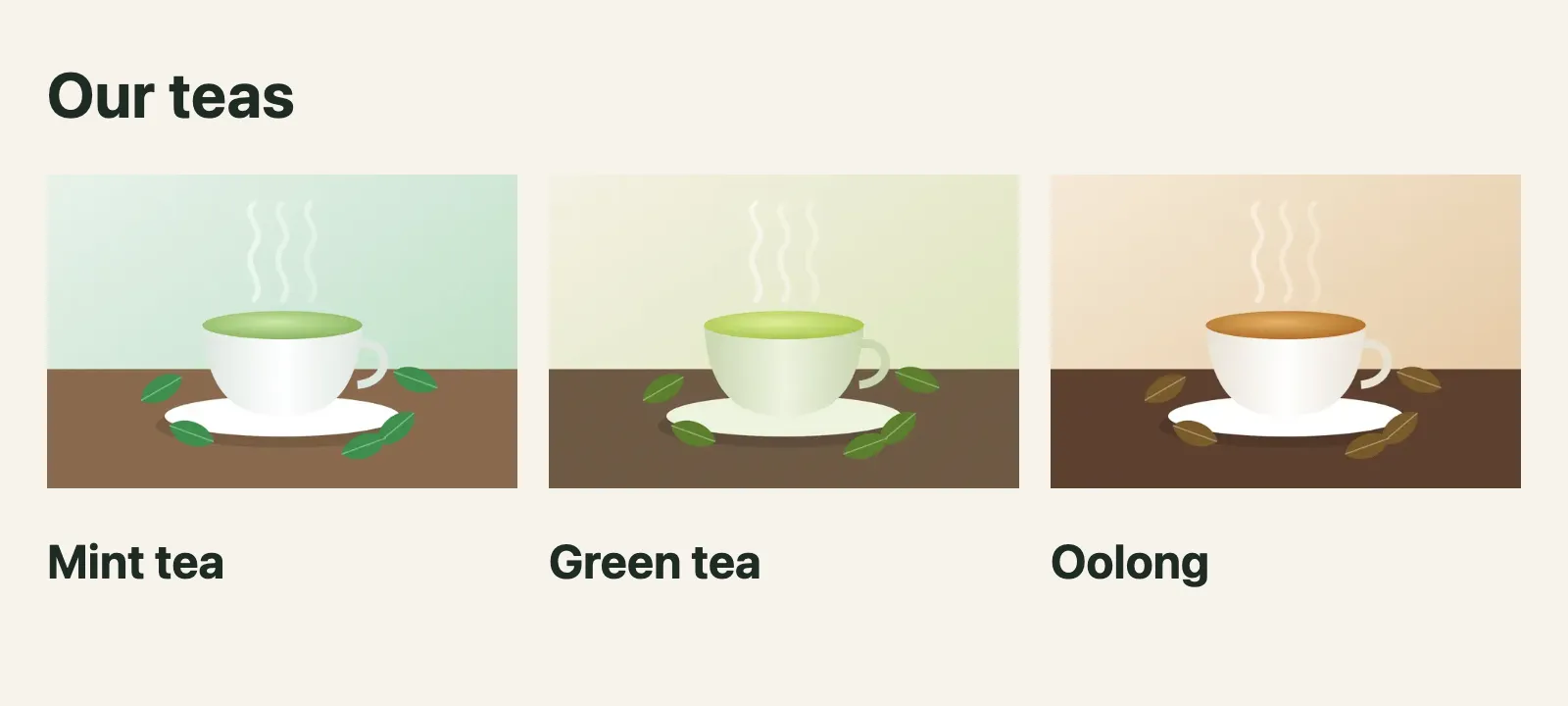
A picture of the window in real Chrome after this step. Open it full size
- Focus
- nothing: the page itself
- Scrolled
- 0 px down
- Stylesheets on the page
0b5zjm047lwhu.css,16gbl6ai3ondr.css
Requests the page made during this step (12), files and other sites included
GET/teas200a whole pageGET/_next/static/chunks/0b5zjm047lwhu.css200text/cssGET/_next/static/chunks/16gbl6ai3ondr.css200text/cssGET/_next/static/chunks/31qp8jfkw0x2h.js200application/javascriptGET/_next/static/chunks/0i46y6vlt4sc3.js200application/javascriptGET/_next/static/chunks/20box33a0_n53.js200application/javascriptGET/_next/static/chunks/turbopack-3-ry682tkyiqk.js200application/javascriptGET/_next/static/chunks/1tq6ppe__m8m-.js200application/javascriptGET/_next/static/chunks/0bts8xcjgykqh.js200application/javascriptGET/_next/image?url=%2Fteas%2Fmint-tea.jpg&w=640&q=75200image/webpGET/_next/image?url=%2Fteas%2Fgreen-tea.jpg&w=640&q=75200image/webpGET/_next/image?url=%2Fteas%2Foolong.jpg&w=640&q=75200image/webp
Each photo is 240 by 160 CSS pixels, always. Next.js writes a short srcset with two candidates, 1x and 2x. The window is 800 pixels wide with two device pixels per CSS pixel, so Chrome picked the 2x file: w=640.
With width and height, the photo is a fixed size, so two candidates are enough: 1x and 2x. With fill, Next.js doesn't know the width, and without sizes it assumes the photo is as wide as the window: sizes="100vw", with a candidate for every width in deviceSizes, from 640w to 3840w. In the recording, Chrome took w=1920 for each of three photos about 240 pixels wide.
sizes tells the browser how wide the photo will be, before the CSS has loaded: (max-width: 640px) 100vw, 33vw reads "the whole window on screens up to 640 pixels, a third of it on wider ones". On line 18 of the last version, it makes Next.js add the smaller widths from imageSizes to the list, and the recorded Chrome took w=640. The pictures of the page are the same; the files are a third as wide. Which candidate a browser takes is up to the browser: sizes and the screen are what it starts from.
sizes gives, times the screen's pixels per CSS pixel, is what the browser starts from. In the recording, an 800-pixel window with 2 pixels per CSS pixel, Chrome took the first file in the srcset at least that wide: w=1920 without sizes, w=640 with it.What /_next/image sends back
The green tea project asked the optimizer three times for the photo 640 pixels wide, at quality 75. Pick each request in the Network tab:
app/page.tsximport Image from "next/image"; export default function HomePage() { return ( <main> <h1>Tea shop</h1> <Image src="/teas/green-tea.jpg" alt="A cup of green tea on a saucer" width={400} height={267} /> <p>Green tea, $4 a box.</p> </main> );}GET /_next/image?url=%2Fteas%2Fgreen-tea.jpg&w=640&q=75200
- Sent with the request
acceptimage/avif,image/webp,image/apng,image/svg+xml,image/*,*/*;q=0.8
- Response headers
VaryAcceptCache-Controlpublic, max-age=14400, must-revalidateContent-Typeimage/webpContent-Dispositionattachment; filename="green-tea.webp"Content-Security-Policyscript-src 'none'; frame-src 'none'; sandbox;X-Nextjs-CacheMISS
The body that arrived is an image, image/webp: 640 × 427 pixels, 3.9 kB
- As Chrome asks for it, with Chrome's
Acceptheader, which lists the image formats the browser can show:image/webp, 640 by 427 pixels, 3.9 kB, from a 91.9 kB original.X-Nextjs-Cache: MISS: the optimizer had to make it. - Again: the same file, and
X-Nextjs-Cache: HIT. The optimizer kept what it made, on disk in.next/cache/images, and sent the copy. - With no Accept header:
image/jpeg, 7.2 kB. The optimizer only sends a format the request says it accepts.Vary: Accepttells caches between the server and the browser to keep one copy perAccept.
The other headers are the same on all three. Cache-Control: public, max-age=14400, must-revalidate lets browsers keep the file for 14,400 seconds, 4 hours: that's minimumCacheTTL, whose default went from 60 seconds to 4 hours in Next.js 16. The photo of mint tea, a static import, got public, max-age=315360000, immutable instead: ten years, because its address changes whenever the file does. Content-Disposition: attachment and Content-Security-Policy: script-src 'none'; frame-src 'none'; sandbox; are for safety: someone who opens the address straight in a tab gets a download, and nothing in the file can run.
WebP is the default format. To send AVIF, smaller still and slower to make, list it in images.formats:
next.config.tsimport type { NextConfig } from "next"; const nextConfig: NextConfig = { /* config options here */ cacheComponents: true, partialPrefetching: true, images: { formats: ["image/avif", "image/webp"], },}; export default nextConfig;GET /_next/image?url=%2Fteas%2Fgreen-tea.jpg&w=640&q=75200
- Sent with the request
acceptimage/avif,image/webp,image/apng,image/svg+xml,image/*,*/*;q=0.8
- Response headers
VaryAcceptCache-Controlpublic, max-age=14400, must-revalidateContent-Typeimage/avifContent-Dispositionattachment; filename="green-tea.avif"Content-Security-Policyscript-src 'none'; frame-src 'none'; sandbox;X-Nextjs-CacheMISS
The body that arrived is an image, image/avif: 640 × 427 pixels, 3.3 kB
Line 8 of next.config.ts lists image/avif first. Asked the way Chrome asks, the optimizer sent image/avif, 3.3 kB. Asked with image/webp,*/*, like a browser without AVIF, it sent the 3.9 kB WebP. The first format in the list that the browser accepts wins.
preload for the LCP image
Largest Contentful Paint (LCP) is the time until the biggest thing in the first screen, often a large photo, has been drawn. Search engines and tools like Lighthouse measure it. A lazy photo starts late: the browser first reads the HTML, works out the layout, sees the photo is on screen, and only then asks for it. The home page now opens with a big mint tea photo, then seven more teas far down the page.
app/page.tsximport Image from "next/image";import mintTea from "./mint-tea.jpg"; const teas = [ { name: "Green tea", photo: "/teas/green-tea.jpg" }, { name: "Oolong", photo: "/teas/oolong.jpg" }, { name: "Chamomile", photo: "/teas/chamomile.jpg" }, { name: "Jasmine", photo: "/teas/jasmine.jpg" }, { name: "Hibiscus", photo: "/teas/hibiscus.jpg" }, { name: "Black tea", photo: "/teas/black-tea.jpg" }, { name: "Rooibos", photo: "/teas/rooibos.jpg" },]; export default function HomePage() { return ( <main> <Image src={mintTea} alt="A cup of mint tea on a saucer" sizes="100vw" style={{ width: "100%", height: "auto" }} /> <h1>Tea shop</h1> {teas.map((tea) => ( <section key={tea.name}> <h2>{tea.name}</h2> <Image src={tea.photo} alt={tea.name} width={600} height={400} /> </section> ))} </main> );}GET /200
- Response headers
Varyrsc, next-router-state-tree, next-router-prefetch, next-router-segment-prefetch, Accept-Encodingx-nextjs-cacheHITx-nextjs-prerender1x-nextjs-stale-time300X-Powered-ByNext.jsCache-Controls-maxage=31536000Content-Typetext/html; charset=utf-8
The HTML that arrived, one element per line, with the code of its 17 scripts left out
<!DOCTYPE html>
<html lang="en">
  <head>
    <meta charset="utf-8">
    <meta name="viewport" content="width=device-width, initial-scale=1">
    <link rel="stylesheet" href="/_next/static/chunks/0b5zjm047lwhu.css" data-precedence="next">
    <link rel="preload" as="script" fetchpriority="low" href="/_next/static/chunks/31qp8jfkw0x2h.js">
    <script src="/_next/static/chunks/0i46y6vlt4sc3.js" async=""></script>
    <script src="/_next/static/chunks/20box33a0_n53.js" async=""></script>
    <script src="/_next/static/chunks/turbopack-3-ry682tkyiqk.js" async=""></script>
    <script src="/_next/static/chunks/1tq6ppe__m8m-.js" async=""></script>
    <script src="/_next/static/chunks/0bts8xcjgykqh.js" async=""></script>
    <title>Tea shop</title>
    <script src="/_next/static/chunks/0cz1d0mv5g_q7.js" nomodule=""></script>
  </head>
  <body>
    <div hidden="">
      <!--$-->
      <!--/$-->
    </div>
    <!--&-->
    <main>
      <img alt="A cup of mint tea on a saucer" loading="lazy" width="1600" height="1067" decoding="async" data-nimg="1" style="color:transparent;width:100%;height:auto" sizes="100vw" srcset="/_next/image?url=%2F_next%2Fstatic%2Fmedia%2Fmint-tea.3hpoavs8o5i69.jpg&w=640&q=75 640w, /_next/image?url=%2F_next%2Fstatic%2Fmedia%2Fmint-tea.3hpoavs8o5i69.jpg&w=750&q=75 750w, /_next/image?url=%2F_next%2Fstatic%2Fmedia%2Fmint-tea.3hpoavs8o5i69.jpg&w=828&q=75 828w, /_next/image?url=%2F_next%2Fstatic%2Fmedia%2Fmint-tea.3hpoavs8o5i69.jpg&w=1080&q=75 1080w, /_next/image?url=%2F_next%2Fstatic%2Fmedia%2Fmint-tea.3hpoavs8o5i69.jpg&w=1200&q=75 1200w, /_next/image?url=%2F_next%2Fstatic%2Fmedia%2Fmint-tea.3hpoavs8o5i69.jpg&w=1920&q=75 1920w, /_next/image?url=%2F_next%2Fstatic%2Fmedia%2Fmint-tea.3hpoavs8o5i69.jpg&w=2048&q=75 2048w, /_next/image?url=%2F_next%2Fstatic%2Fmedia%2Fmint-tea.3hpoavs8o5i69.jpg&w=3840&q=75 3840w" src="/_next/image?url=%2F_next%2Fstatic%2Fmedia%2Fmint-tea.3hpoavs8o5i69.jpg&w=3840&q=75">
      <h1>Tea shop</h1>
      <section>
        <h2>Green tea</h2>
        <img alt="Green tea" loading="lazy" width="600" height="400" decoding="async" data-nimg="1" style="color:transparent" srcset="/_next/image?url=%2Fteas%2Fgreen-tea.jpg&w=640&q=75 1x, /_next/image?url=%2Fteas%2Fgreen-tea.jpg&w=1200&q=75 2x" src="/_next/image?url=%2Fteas%2Fgreen-tea.jpg&w=1200&q=75">
      </section>
      <section>
        <h2>Oolong</h2>
        <img alt="Oolong" loading="lazy" width="600" height="400" decoding="async" data-nimg="1" style="color:transparent" srcset="/_next/image?url=%2Fteas%2Foolong.jpg&w=640&q=75 1x, /_next/image?url=%2Fteas%2Foolong.jpg&w=1200&q=75 2x" src="/_next/image?url=%2Fteas%2Foolong.jpg&w=1200&q=75">
      </section>
      <section>
        <h2>Chamomile</h2>
        <img alt="Chamomile" loading="lazy" width="600" height="400" decoding="async" data-nimg="1" style="color:transparent" srcset="/_next/image?url=%2Fteas%2Fchamomile.jpg&w=640&q=75 1x, /_next/image?url=%2Fteas%2Fchamomile.jpg&w=1200&q=75 2x" src="/_next/image?url=%2Fteas%2Fchamomile.jpg&w=1200&q=75">
      </section>
      <section>
        <h2>Jasmine</h2>
        <img alt="Jasmine" loading="lazy" width="600" height="400" decoding="async" data-nimg="1" style="color:transparent" srcset="/_next/image?url=%2Fteas%2Fjasmine.jpg&w=640&q=75 1x, /_next/image?url=%2Fteas%2Fjasmine.jpg&w=1200&q=75 2x" src="/_next/image?url=%2Fteas%2Fjasmine.jpg&w=1200&q=75">
      </section>
      <section>
        <h2>Hibiscus</h2>
        <img alt="Hibiscus" loading="lazy" width="600" height="400" decoding="async" data-nimg="1" style="color:transparent" srcset="/_next/image?url=%2Fteas%2Fhibiscus.jpg&w=640&q=75 1x, /_next/image?url=%2Fteas%2Fhibiscus.jpg&w=1200&q=75 2x" src="/_next/image?url=%2Fteas%2Fhibiscus.jpg&w=1200&q=75">
      </section>
      <section>
        <h2>Black tea</h2>
        <img alt="Black tea" loading="lazy" width="600" height="400" decoding="async" data-nimg="1" style="color:transparent" srcset="/_next/image?url=%2Fteas%2Fblack-tea.jpg&w=640&q=75 1x, /_next/image?url=%2Fteas%2Fblack-tea.jpg&w=1200&q=75 2x" src="/_next/image?url=%2Fteas%2Fblack-tea.jpg&w=1200&q=75">
      </section>
      <section>
        <h2>Rooibos</h2>
        <img alt="Rooibos" loading="lazy" width="600" height="400" decoding="async" data-nimg="1" style="color:transparent" srcset="/_next/image?url=%2Fteas%2Frooibos.jpg&w=640&q=75 1x, /_next/image?url=%2Fteas%2Frooibos.jpg&w=1200&q=75 2x" src="/_next/image?url=%2Fteas%2Frooibos.jpg&w=1200&q=75">
      </section>
    </main>
    <!--$-->
    <!--/$-->
    <!--/&-->
    <script id="_R_">…</script>
    <script src="/_next/static/chunks/31qp8jfkw0x2h.js" async=""></script>
    <script>…</script>
    <script>…</script>
    <script>…</script>
    <script>…</script>
    <script>…</script>
    <script>…</script>
    <script>…</script>
    <script>…</script>
    <script>…</script>
  </body>
</html>
The stylesheet the HTML links, with the CSS Next.js built for it, laid out to read
/_next/static/chunks/0b5zjm047lwhu.cssbody { color:#1f2a24; background:#f6f3ea; margin:0; font-family:system-ui,sans-serif } main { padding:8px 24px }
The big photo gets loading="lazy", like every next/image by default, and the head has no <link rel="preload"> for it. The browser finds the photo only when it reads the <img> in the body.
With nothing on line 17, the big photo is loading="lazy", like every other. preload drops loading="lazy" and puts <link rel="preload" as="image" imagesrcset="…" imagesizes="100vw"> in the head. In the App Router, Next.js does that by calling React's ReactDOM.preload. preload is new in Next.js 16; it replaces priority, which still works, makes the same HTML, and is deprecated.
For most cases, the docs give two alternatives to preload, each on its own: loading="eager", which loads the photo at once instead of lazily, or fetchPriority="high", which tells the browser to fetch it before other images. Keep preload for a photo that is surely the LCP. Don't combine preload with loading or fetchPriority, and don't preload several photos that could each be the LCP on different screens.
The two alternatives are recorded too. With loading="eager", this build's head still has a preload link: React's server renderer added one for an image that isn't lazy. With fetchPriority="high" alone, the <img> kept loading="lazy" and the head has no preload link. Both are what 16.4.3 and its React did here, not promises in the docs: what the docs promise is the attribute on the <img>.
The Steps tab of the preload version shows what lazy loading does for the rest of the menu:
app/page.tsximport Image from "next/image";import mintTea from "./mint-tea.jpg"; const teas = [ { name: "Green tea", photo: "/teas/green-tea.jpg" }, { name: "Oolong", photo: "/teas/oolong.jpg" }, { name: "Chamomile", photo: "/teas/chamomile.jpg" }, { name: "Jasmine", photo: "/teas/jasmine.jpg" }, { name: "Hibiscus", photo: "/teas/hibiscus.jpg" }, { name: "Black tea", photo: "/teas/black-tea.jpg" }, { name: "Rooibos", photo: "/teas/rooibos.jpg" },]; export default function HomePage() { return ( <main> <Image src={mintTea} alt="A cup of mint tea on a saucer" preload sizes="100vw" style={{ width: "100%", height: "auto" }} /> <h1>Tea shop</h1> {teas.map((tea) => ( <section key={tea.name}> <h2>{tea.name}</h2> <Image src={tea.photo} alt={tea.name} width={600} height={400} /> </section> ))} </main> );}Each step was taken in real Chrome against next start. Pick one to see the page after it.

A picture of the window in real Chrome after this step. Open it full size
- Focus
- nothing: the page itself
- Scrolled
- 0 px down
- Stylesheets on the page
0b5zjm047lwhu.css
Requests the page made during this step (12), files and other sites included
GET/200a whole pageGET/_next/image?url=%2F_next%2Fstatic%2Fmedia%2Fmint-tea.3hpoavs8o5i69.jpg&w=1920&q=75200image/webpGET/_next/static/chunks/0b5zjm047lwhu.css200text/cssGET/_next/static/chunks/31qp8jfkw0x2h.js200application/javascriptGET/_next/static/chunks/0i46y6vlt4sc3.js200application/javascriptGET/_next/static/chunks/20box33a0_n53.js200application/javascriptGET/_next/static/chunks/turbopack-3-ry682tkyiqk.js200application/javascriptGET/_next/static/chunks/1tq6ppe__m8m-.js200application/javascriptGET/_next/static/chunks/0bts8xcjgykqh.js200application/javascriptGET/_next/image?url=%2Fteas%2Fgreen-tea.jpg&w=1200&q=75200image/webpGET/_next/image?url=%2Fteas%2Foolong.jpg&w=1200&q=75200image/webpGET/_next/image?url=%2Fteas%2Fchamomile.jpg&w=1200&q=75200image/webp
Step 1 opens /. At the end of its list are the photos Chrome asked for: the big mint tea, and the first three menu photos, Green tea, Oolong and Chamomile. In this recording, Chrome loaded lazy photos a little before they reached the screen; how far ahead is up to the browser. Step 2 scrolls down the page, and Chrome asks for the other four, Jasmine to Rooibos. A visitor who never scrolls never downloads them.
A blurred placeholder
While a photo loads, its box is empty. placeholder="blur" shows a blurred version of the photo there instead, until the real one arrives:
app/page.tsximport Image from "next/image";import mintTea from "./mint-tea.jpg"; export default function HomePage() { return ( <main> <h1>Tea shop</h1> <Image src={mintTea} alt="A cup of mint tea on a saucer" width={400} placeholder="blur" /> <p>Mint tea, $3 a box.</p> </main> );}GET /200
- Response headers
Varyrsc, next-router-state-tree, next-router-prefetch, next-router-segment-prefetch, Accept-Encodingx-nextjs-cacheHITx-nextjs-prerender1x-nextjs-stale-time300X-Powered-ByNext.jsCache-Controls-maxage=31536000Content-Typetext/html; charset=utf-8
The HTML that arrived, one element per line, with the code of its 17 scripts left out
<!DOCTYPE html>
<html lang="en">
<head>
<meta charset="utf-8">
<meta name="viewport" content="width=device-width, initial-scale=1">
<link rel="stylesheet" href="/_next/static/chunks/0b5zjm047lwhu.css" data-precedence="next">
<link rel="preload" as="script" fetchpriority="low" href="/_next/static/chunks/31qp8jfkw0x2h.js">
<script src="/_next/static/chunks/0i46y6vlt4sc3.js" async=""></script>
<script src="/_next/static/chunks/20box33a0_n53.js" async=""></script>
<script src="/_next/static/chunks/turbopack-3-ry682tkyiqk.js" async=""></script>
<script src="/_next/static/chunks/1tq6ppe__m8m-.js" async=""></script>
<script src="/_next/static/chunks/0bts8xcjgykqh.js" async=""></script>
<title>Tea shop</title>
<script src="/_next/static/chunks/0cz1d0mv5g_q7.js" nomodule=""></script>
</head>
<body>
<div hidden="">
<!--$-->
<!--/$-->
</div>
<!--&-->
<main>
<h1>Tea shop</h1>
<img alt="A cup of mint tea on a saucer" loading="lazy" width="400" height="267" decoding="async" data-nimg="1" style="color:transparent;background-size:cover;background-position:50% 50%;background-repeat:no-repeat;background-image:url("data:image/svg+xml;charset=utf-8,%3Csvg xmlns='http://www.w3.org/2000/svg' viewBox='0 0 320 200'%3E%3Cfilter id='b' color-interpolation-filters='sRGB'%3E%3CfeGaussianBlur stdDeviation='20'/%3E%3CfeColorMatrix values='1 0 0 0 0 0 1 0 0 0 0 0 1 0 0 0 0 0 100 -1' result='s'/%3E%3CfeFlood x='0' y='0' width='100%25' height='100%25'/%3E%3CfeComposite operator='out' in='s'/%3E%3CfeComposite in2='SourceGraphic'/%3E%3CfeGaussianBlur stdDeviation='20'/%3E%3C/filter%3E%3Cimage width='100%25' height='100%25' x='0' y='0' preserveAspectRatio='none' style='filter: url(%23b);' href='data:image/jpeg;base64,/9j/4AAQSkZJRgABAgAAAQABAAD/wAARCAAFAAgDAREAAhEBAxEB/9sAQwAKBwcIBwYKCAgICwoKCw4YEA4NDQ4dFRYRGCMfJSQiHyIhJis3LyYpNCkhIjBBMTQ5Oz4+PiUuRElDPEg3PT47/9sAQwEKCwsODQ4cEBAcOygiKDs7Ozs7Ozs7Ozs7Ozs7Ozs7Ozs7Ozs7Ozs7Ozs7Ozs7Ozs7Ozs7Ozs7Ozs7Ozs7Ozs7/8QAHwAAAQUBAQEBAQEAAAAAAAAAAAECAwQFBgcICQoL/8QAtRAAAgEDAwIEAwUFBAQAAAF9AQIDAAQRBRIhMUEGE1FhByJxFDKBkaEII0KxwRVS0fAkM2JyggkKFhcYGRolJicoKSo0NTY3ODk6Q0RFRkdISUpTVFVWV1hZWmNkZWZnaGlqc3R1dnd4eXqDhIWGh4iJipKTlJWWl5iZmqKjpKWmp6ipqrKztLW2t7i5usLDxMXGx8jJytLT1NXW19jZ2uHi4+Tl5ufo6erx8vP09fb3+Pn6/8QAHwEAAwEBAQEBAQEBAQAAAAAAAAECAwQFBgcICQoL/8QAtREAAgECBAQDBAcFBAQAAQJ3AAECAxEEBSExBhJBUQdhcRMiMoEIFEKRobHBCSMzUvAVYnLRChYkNOEl8RcYGRomJygpKjU2Nzg5OkNERUZHSElKU1RVVldYWVpjZGVmZ2hpanN0dXZ3eHl6goOEhYaHiImKkpOUlZaXmJmaoqOkpaanqKmqsrO0tba3uLm6wsPExcbHyMnK0tPU1dbX2Nna4uPk5ebn6Onq8vP09fb3+Pn6/9oADAMBAAIRAxEAPwDoG8Y3TaeZDbx+bu65O3H0/wDr1y+0di3QV7XP/9k='/%3E%3C/svg%3E")" srcset="/_next/image?url=%2F_next%2Fstatic%2Fmedia%2Fmint-tea.3hpoavs8o5i69.jpg&w=640&q=75 1x, /_next/image?url=%2F_next%2Fstatic%2Fmedia%2Fmint-tea.3hpoavs8o5i69.jpg&w=828&q=75 2x" src="/_next/image?url=%2F_next%2Fstatic%2Fmedia%2Fmint-tea.3hpoavs8o5i69.jpg&w=828&q=75">
<p>Mint tea, $3 a box.</p>
</main>
<!--$-->
<!--/$-->
<!--/&-->
<script id="_R_">…</script>
<script src="/_next/static/chunks/31qp8jfkw0x2h.js" async=""></script>
<script>…</script>
<script>…</script>
<script>…</script>
<script>…</script>
<script>…</script>
<script>…</script>
<script>…</script>
<script>…</script>
<script>…</script>
</body>
</html>Line 8 adds placeholder="blur". In the Network tab, the <img>'s style now has a background-image: a small SVG with a blur filter, wrapped around data:image/jpeg;base64,…, a copy of the photo only 8 by 5 pixels in this build, written into the HTML as text. The build made it from the imported file, and called it the blurDataURL. When the photo has loaded, React takes the background away.
Only a static import of a JPEG, PNG, WebP or AVIF file gets a blurDataURL made for it. For a photo in public or a remote one, pass your own blurDataURL: a tiny image written as a data: address, 10 pixels wide or less. placeholder can also be a data:image/… address itself, like a flat color.
remotePatterns and image security
The optimizer is a public address on your server that fetches files and does work for anyone who asks. Without limits, a stranger could make it resize photos from any server, at every width, or reach servers inside your own network. So every request is checked first. The remote photo's project also sent the optimizer four bad requests:
next.config.tsimport type { NextConfig } from "next"; const nextConfig: NextConfig = { /* config options here */ cacheComponents: true, partialPrefetching: true, images: { remotePatterns: [ new URL("https://images.example.com/teas/**"), { protocol: "http", hostname: "localhost", port: "4000", pathname: "/teas/**" }, ], },}; export default nextConfig;GET /_next/image?url=https%3A%2F%2Fphotos.other.example%2Foolong.jpg&w=640&q=75400
- Response headers
The body that arrived, as it arrived
"url" parameter is not allowed- A photo from another server,
photos.other.example:400,"url" parameter is not allowed. It matches no pattern. - A width that isn't in the list,
w=500:400,"w" parameter (width) of 500 is not allowed. Only the widths indeviceSizesandimageSizesare. - A quality that isn't allowed,
q=90:400,"q" parameter (quality) of 90 is not allowed. Since Next.js 16,qualitiesis[75]unless you change it. Line 8 ofapp/page.tsxasks forquality={90}, and thesrcsetin the first response saysq=75: aqualityprop outside the list becomes the closest allowed value. - A photo on this computer,
http://localhost:4000/teas/oolong.jpg, which line 10 ofnext.config.tsallows:400as well. The Terminal tab shows whatnext startprinted:upstream image http://localhost:4000/teas/oolong.jpg hostname resolved to private IP ["::1","127.0.0.1"].
The last check is new in Next.js 16. Before it fetches a remote photo, the optimizer looks up the server's address and refuses a private one, like your own computer or a server inside your network (image-optimizer.ts). That stops an attack called server-side request forgery: making your server fetch something only it can reach. To allow private addresses, for an app on a private network, set images.dangerouslyAllowLocalIP to true, knowing the risk.
/_next/image is checked before anything is fetched or resized. The url must match remotePatterns (or be a local path), the width and the quality must be in the lists, and a remote server must not be on a private network. Any "no" is a 400.A remotePatterns entry can be a new URL(…), as on line 9, or an object with protocol, hostname, port, pathname and search, as on line 10. Make it narrow: a part you leave out matches anything, and ** matches any path below. remotePatterns only checks the first address. A remote server that answers with a redirect is followed up to 3 times by default (maximumRedirects; 0 follows none), and the place it redirects to isn't checked against remotePatterns again. Each address on the way is still refused if it's private: in the 16.4.3 source, the optimizer runs the private-address check again for every redirect. SVG files are served as they are, without the optimizer, because an SVG can hold scripts. Each row is one setting that Next.js 16 changed, from its upgrade guide.
| Setting | Before Next.js 16 | Next.js 16 |
|---|---|---|
qualities | Any quality from 1 to 100. | Only [75]. Other quality props become the closest allowed value; other q values in a URL get a 400. |
dangerouslyAllowLocalIP | Remote images on private addresses were fetched. | false: a remote image on a private or local address gets a 400. |
maximumRedirects | Redirects were followed with no limit. | 3. Set 0 to follow none. |
minimumCacheTTL | 60 seconds. | 14400 seconds: 4 hours. |
imageSizes | Started at 16. | Starts at 32: [32, 48, 64, 96, 128, 256, 384]. |
A local src with a query string, like /teas/oolong.jpg?v=2 | Allowed. | Needs an images.localPatterns entry whose search is that exact query string: search: "?v=2". |
Checking the tea shop's photos
Before the shop goes live, Asha checks each photo on the site: does it keep its space, does it download a sensible file, and will the optimizer serve it? Sort each one.
<Image src={mintTea} alt="A cup of mint tea" />after a static import.<Image src="/teas/oolong.jpg" alt="Oolong" width={400} height={267} />.<Image src="/teas/oolong.jpg" alt="Oolong" />.- A
fillphoto in a box a third of the page wide, with nosizes. - A
fillphoto inside a<div>withposition: relativeand anaspect-ratio. - The seventh tea photo, far down the menu, with no
preload. - A photo from
https://cdn.teafarm.example/with nothing inremotePatterns.
Sort each photo: is it fine as it is, or does it need a fix?
Common mix-ups
- "width and height set how big the photo shows." No. CSS does. They give the
<img>its ratio, so the browser keeps the right space before the file arrives. - "next build resizes every photo." No. The optimizer resizes on request, the first time a width is asked for, and keeps the result.
- "fill photos are always the right size." No. Without
sizes, the browser plans for the whole window and downloads a much bigger file than the box needs. - "A missing width doesn't matter, because
next buildaccepts it." No. The docs requirewidthandheight, orfill. The recorded 16.4.3 build passing is no promise, and the page it made jumps when the photo loads. - "Every photo should get preload." No. Only the one photo that is the LCP. The rest should stay lazy, so they don't compete with it.
- "remotePatterns lets the optimizer fetch anything on that server." No. The first address must match the pattern. A redirect from there isn't checked against it again, but redirects stop after
maximumRedirects, and no address on the way may be private unlessdangerouslyAllowLocalIPis on.
Practice exercises
These exercises are about Next.js projects, which can't run inside this page. Answer first, then use the hints.
This page builds, but the price jumps down when the photo loads. Which two props do you add to line 7?
import Image from "next/image";

export default function HomePage() {
  return (
    <main>
      <h1>Tea shop</h1>
      <Image src="/teas/green-tea.jpg" alt="A cup of green tea on a saucer" />
      <p>Green tea, $4 a box.</p>
    </main>
  );
}
import Image from "next/image";

export default function HomePage() {
  return (
    <main>
      <h1>Tea shop</h1>
      <Image src="/teas/green-tea.jpg" alt="A cup of green tea on a saucer" width={400} height={267} />
      <p>Green tea, $4 a box.</p>
    </main>
  );
}
width={400} and height={267}: the same ratio as the 1600 by 1067 file. The recorded <img> then has width="400" height="267", and the browser keeps that box before the photo arrives.
The tea photos have different shapes, and each should cover a 3:2 box. Which prop on line 18 makes the photo fill its parent?
import Image from "next/image";
import styles from "./teas.module.css";

const teas = [
  { name: "Mint tea", photo: "/teas/mint-tea.jpg" },
  { name: "Green tea", photo: "/teas/green-tea.jpg" },
  { name: "Oolong", photo: "/teas/oolong.jpg" },
];

export default function TeasPage() {
  return (
    <main>
      <h1>Our teas</h1>
      <ul className={styles.grid}>
        {teas.map((tea) => (
          <li key={tea.name}>
            <div className={styles.photo}>
              <Image src={tea.photo} alt={tea.name} fill style={{ objectFit: "cover" }} />
            </div>
            <h2>{tea.name}</h2>
          </li>
        ))}
      </ul>
    </main>
  );
}
fill. The <img> becomes position: absolute and covers the <div> on line 17, which has position: relative and a 3:2 aspect-ratio from teas.module.css. objectFit: "cover" crops instead of stretching.
In an 800-pixel window, Chrome downloads w=1920 for each of these three photos, though each box is about 240 pixels wide. Which prop do you add?
import Image from "next/image";
import styles from "./teas.module.css";

const teas = [
  { name: "Mint tea", photo: "/teas/mint-tea.jpg" },
  { name: "Green tea", photo: "/teas/green-tea.jpg" },
  { name: "Oolong", photo: "/teas/oolong.jpg" },
];

export default function TeasPage() {
  return (
    <main>
      <h1>Our teas</h1>
      <ul className={styles.grid}>
        {teas.map((tea) => (
          <li key={tea.name}>
            <div className={styles.photo}>
              <Image src={tea.photo} alt={tea.name} fill style={{ objectFit: "cover" }} />
            </div>
            <h2>{tea.name}</h2>
          </li>
        ))}
      </ul>
    </main>
  );
}
import Image from "next/image";
import styles from "./teas.module.css";

const teas = [
  { name: "Mint tea", photo: "/teas/mint-tea.jpg" },
  { name: "Green tea", photo: "/teas/green-tea.jpg" },
  { name: "Oolong", photo: "/teas/oolong.jpg" },
];

export default function TeasPage() {
  return (
    <main>
      <h1>Our teas</h1>
      <ul className={styles.grid}>
        {teas.map((tea) => (
          <li key={tea.name}>
            <div className={styles.photo}>
              <Image src={tea.photo} alt={tea.name} fill sizes="(max-width: 640px) 100vw, 33vw" style={{ objectFit: "cover" }} />
            </div>
            <h2>{tea.name}</h2>
          </li>
        ))}
      </ul>
    </main>
  );
}
sizes="(max-width: 640px) 100vw, 33vw". In the recording, Chrome then asked for w=640 instead of w=1920 for each photo, and the page looks the same.
Only one photo on this page should get preload. Which one?
import Image from "next/image";
import mintTea from "./mint-tea.jpg";

const teas = [
  { name: "Green tea", photo: "/teas/green-tea.jpg" },
  { name: "Oolong", photo: "/teas/oolong.jpg" },
  { name: "Chamomile", photo: "/teas/chamomile.jpg" },
  { name: "Jasmine", photo: "/teas/jasmine.jpg" },
  { name: "Hibiscus", photo: "/teas/hibiscus.jpg" },
  { name: "Black tea", photo: "/teas/black-tea.jpg" },
  { name: "Rooibos", photo: "/teas/rooibos.jpg" },
];

export default function HomePage() {
  return (
    <main>
      <Image src={mintTea} alt="A cup of mint tea on a saucer" sizes="100vw" style={{ width: "100%", height: "auto" }} />
      <h1>Tea shop</h1>
      {teas.map((tea) => (
        <section key={tea.name}>
          <h2>{tea.name}</h2>
          <Image src={tea.photo} alt={tea.name} width={600} height={400} />
        </section>
      ))}
    </main>
  );
}
import Image from "next/image";
import mintTea from "./mint-tea.jpg";

const teas = [
  { name: "Green tea", photo: "/teas/green-tea.jpg" },
  { name: "Oolong", photo: "/teas/oolong.jpg" },
  { name: "Chamomile", photo: "/teas/chamomile.jpg" },
  { name: "Jasmine", photo: "/teas/jasmine.jpg" },
  { name: "Hibiscus", photo: "/teas/hibiscus.jpg" },
  { name: "Black tea", photo: "/teas/black-tea.jpg" },
  { name: "Rooibos", photo: "/teas/rooibos.jpg" },
];

export default function HomePage() {
  return (
    <main>
      <Image src={mintTea} alt="A cup of mint tea on a saucer" preload sizes="100vw" style={{ width: "100%", height: "auto" }} />
      <h1>Tea shop</h1>
      {teas.map((tea) => (
        <section key={tea.name}>
          <h2>{tea.name}</h2>
          <Image src={tea.photo} alt={tea.name} width={600} height={400} />
        </section>
      ))}
    </main>
  );
}
The big mint tea photo on line 17: it fills the first screen, so it's the LCP. The menu photos stay lazy. The recorded head then has a <link rel="preload" as="image">, and Chrome loaded the last four menu photos only after scrolling.
The shop adds photos from https://cdn.teafarm.example/photos/sencha.jpg, and every one is broken: the optimizer answers 400. What do you add to next.config.ts?
import type { NextConfig } from "next";

const nextConfig: NextConfig = {
  /* config options here */
  cacheComponents: true,
  partialPrefetching: true,
  images: {
    remotePatterns: [
      new URL("https://images.example.com/teas/**"),
      { protocol: "http", hostname: "localhost", port: "4000", pathname: "/teas/**" },
    ],
  },
};

export default nextConfig;
images: {
  remotePatterns: [new URL("https://cdn.teafarm.example/photos/**")],
},
Add a remotePatterns entry for the farm's server, as narrow as you can: its protocol, host and the folder its photos are in. In the recording, a photo from a server no pattern matched got a 400.
Line 8 asks for quality={90}, and next.config.ts sets no qualities. Which q does the photo's srcset use?
import Image from "next/image";

export default function HomePage() {
  return (
    <main>
      <h1>Tea shop</h1>
      <Image src="https://images.example.com/teas/oolong.jpg" alt="A cup of oolong" width={400} height={267} />
      <Image src="/teas/green-tea.jpg" alt="A cup of green tea" width={400} height={267} quality={90} />
    </main>
  );
}
q=75. The recorded srcset of the green tea photo uses q=75, though line 8 says quality={90}. To allow 90, add it to images.qualities; until then, a URL that asks for q=90 gets a 400.
Check your understanding
For each question, ask what is in the HTML, and what the optimizer will do with the request.
Question 1 of 7What does the
<img>thatnext/imagerenders point at?Choose an answer to see the explanation.
Question 2 of 7This tea page's photos fill boxes a third of the window wide. In an 800-pixel window, which width does Chrome ask for?
Read the code, then predictTSXimport Image from "next/image"; import styles from "./teas.module.css"; const teas = [ { name: "Mint tea", photo: "/teas/mint-tea.jpg" }, { name: "Green tea", photo: "/teas/green-tea.jpg" }, { name: "Oolong", photo: "/teas/oolong.jpg" }, ]; export default function TeasPage() { return ( <main> <h1>Our teas</h1> <ul className={styles.grid}> {teas.map((tea) => ( <li key={tea.name}> <div className={styles.photo}> <Image src={tea.photo} alt={tea.name} fill style={{ objectFit: "cover" }} /> </div> <h2>{tea.name}</h2> </li> ))} </ul> </main> ); }Choose an answer to see the explanation.
Question 3 of 7A photo in
publicis shown by its path. What do the docs require on its<Image>?Choose an answer to see the explanation.
Question 4 of 7Which
Acceptheader gets a WebP back from the optimizer with the default settings?Choose an answer to see the explanation.
Question 5 of 7What does
preloadchange in the HTML?Choose an answer to see the explanation.
Question 6 of 7In this page, with the default settings, which
qdoes the green tea photo'ssrcsetuse?Read the code, then predictTSXimport Image from "next/image"; export default function HomePage() { return ( <main> <h1>Tea shop</h1> <Image src="https://images.example.com/teas/oolong.jpg" alt="A cup of oolong" width={400} height={267} /> <Image src="/teas/green-tea.jpg" alt="A cup of green tea" width={400} height={267} quality={90} /> </main> ); }Choose an answer to see the explanation.
Question 7 of 7
remotePatternsallowshttp://localhost:4000/teas/**. What does the optimizer do with a photo from there?Choose an answer to see the explanation.
Key takeaways
next/imagerenders an<img>whosesrcsetpoints at/_next/image, which resizes the photo, converts it to WebP (or AVIF) for browsers that accept it, and keeps the result.- A static import gives the size and a blur placeholder for free. A path in
publicor a remote address needswidthandheight, orfillin a positioned box. - With
fillor responsive CSS, writesizes, or the browser downloads a file as wide as the window. - Photos are lazy by default. Give the LCP photo
preload(formerlypriority), or one of the alternatives the docs suggest in most cases:loading="eager"orfetchPriority="high". - The optimizer refuses a first address outside
remotePatterns, widths and qualities outside its lists, and private addresses, with a400; redirects are limited bymaximumRedirects.
Remember the one-liner.
Give every photo its shape, tell the browser its width with sizes, preload the one that matters, and allow only the servers you trust.
Coming next: Optimizing fonts. next/font downloads the shop's fonts at build time and serves them from your own server.