ES modules in the browser
See how the browser loads a graph of native modules level by level, what modulepreload and import maps change, and when one bundle still loads faster.
- 01Explain how a module graph loadsWhy the browser finds a module's imports only after it arrives, and why each level of imports costs a round trip.
- 02Use modulepreload and import mapsList a whole graph up front, give React a short name, and let one changed file change alone.
- 03Choose modules or a bundleWeigh first visits, return visits and changes, and know when one bundle still loads faster.
Ravi takes the bundler away
Ravi reads two guides on the same evening. Both are about how to send JavaScript to the browser. And they don't agree.
The first is the guide to importmap-rails, a tool for the Rails web framework. It says you can send many small files instead of one big one. It says that, thanks to HTTP/2, this "no longer carries a material performance penalty". In plain words: many files no longer cost much time. HTTP/2 is the version of HTTP that lets the browser ask for many files at once, over one connection. Lesson 4.5 showed it.
The second is the guide to Vite, a popular build tool. It says that sending files this way "is still inefficient due to additional network round trips from nested imports." A round trip is the time for a request to reach the server and for the answer to start coming back. In plain words: files that import other files cost extra trips.
Who is right? Ravi tries it on the tea list.
Until now, a bundler built the tea list. A bundler is a tool that joins many JavaScript files into one, like esbuild in lesson 22.2. Ravi takes it away. Now each file goes to the browser on its own, as a module: a JavaScript file that can import code from other files. Here is one of them:
import { Price } from "./price.js";import { StrengthBar } from "./strength-bar.js"; export function TeaCard({ tea }) { return ( <li className={tea.sale ? "tea sale" : "tea"}> <a href="#">{tea.name}</a> <Price amount={tea.price} /> <StrengthBar value={tea.strength} /> </li> );}- Lines 1 and 2 import two more modules:
price.jsandstrength-bar.js. - Lines 4 to 12 draw one tea: its name, its price and its strength bar.
To draw a tea, the browser needs all three files. But it learns about price.js only by reading line 1 of tea-card.js. Remember that. This whole lesson grows from it.
Ravi still keeps one small build step. It turns each file's JSX, the HTML-like tags React uses, into plain JavaScript. It also gives each file a fingerprint: a short code made from the file's content, in its name. So tea-card.js is sent as tea-card-RKJUNIUU.js. Lesson 15.2 showed why: a file with a fingerprint can stay in the cache for a year. Then the build writes the top of the page:
<script type="importmap">{ "imports": { "react": "./vendor/react-F2IRJJWW.js", "react/jsx-runtime": "./vendor/jsx-runtime-F7LXXYMP.js", "react-dom/client": "./vendor/react-dom-client-25HZSAN7.js", "./src/app.js": "./src/app-4KD5HBNT.js", … "./src/lib/money.js": "./src/lib/money-BNM4P4AD.js" }}</script><script type="module" src="./src/main-RLGB5T4Z.js"></script>- Lines 1 to 12 are an import map. It tells the browser which file each name stands for.
- Lines 4 to 6 give a file to each of the three names the code uses for React. React comes from the shop's own server here.
- Line 7 sends
./src/app.jsto the file with its fingerprint. Line 8 stands for 31 more lines like it. Line 9 is the last one, for money.js. - Line 13 loads
main.js, the first module. The browser finds all the others by itself.
The tea list has 39 modules: 34 of its own, and 5 of React's. React's three files share their code through two more files.
Then Asha opens the tea list on the bus. "Asha's phone" is the stand-in from lesson 22.1: Chrome 157 on a phone's screen, DevTools' Slow 4G network, and a CPU 4 times slower. The course loaded the tea list three ways, each with an empty cache:
- Native modules: Ravi's 39 modules, as above. Native means the browser loads them itself.
- With modulepreload: the same modules, plus one line in the page for each file. You'll meet it below.
- One bundle: the same code, joined by esbuild into one file, as before.
Here is what Asha saw:
At one second, all three showed the shop's name. The page's HTML is small, and it came about as fast each time. At 2.1 seconds, two of them showed the teas. The modules page made Asha wait until 4.9 seconds.
Here are the numbers. Read each row across: how the tea list was sent, its files, their size, then three moments.
- Sent with Brotli is the size after the server packs each file, as lesson 22.2 showed. A KB is 1,024 bytes.
- Teas on screen is when Chrome painted the tea list, the page's largest contentful paint.
- Could answer a tap is as in lesson 22.1. It's the later of two moments: the teas appearing, and the last long task ending. A long task keeps the phone busy for more than 50 ms.
| How the tea list was sent | JavaScript files | Sent with Brotli | Shop's name on screen | Teas on screen | Could answer a tap |
|---|---|---|---|---|---|
| Native modules | 39 | 89.2 KB | 677 ms | 4,925 ms | 4,925 ms |
| Native modules with modulepreload | 39 | 89.2 KB | 710 ms | 2,035 ms | 2,035 ms |
| One bundle | 1 | 74.2 KB | 677 ms | 1,812 ms | 1,812 ms |
Same code, same phone, same network. Without the bundler, the teas came 3.1 seconds later. With one line per file in the page, they came only 0.2 seconds after the bundle. Why it matters: dropping the bundler can cost a visitor seconds. But most of that cost can be won back.
You need a book for a school project. You ask for it at the library desk, and it takes ten minutes to come. Its first page lists three more books you need. You ask for them together, and wait ten more minutes. Each of those names more books. Each round costs ten minutes, however many books you ask for. A friend who has read them all could hand you one folder with every chapter in it.
- In real life: The first book
- In web performance: main.js, named in the page
- In real life: The books listed on its first page
- In web performance: The files main.js imports
- In real life: One round at the library desk
- In web performance: One round trip on the network
- In real life: Asking for several books in one round
- In web performance: HTTP/2 asking for many files at once
- In real life: The friend's folder
- In web performance: One bundle
The browser learns what a module imports only by reading it. So it loads a graph of modules one level at a time, with a round trip for each level. A bundler does that joining once, when you build. modulepreload and import maps help modules close the gap.
The JavaScript lessons Module loading in browsers and Module resolution & import maps explain the rules inside. Here, you measure what they cost. The lesson follows Ravi's questions:
- Why did the modules page take so long? How the browser loads a module graph.
- Was it the number of files? Deep import chains.
- How did one line per file win it back? modulepreload for the whole graph.
- What does the import map do? Import maps.
- What happens when Asha comes back? Coming back, and a one-file change.
- So should Ravi bundle? When bundling still wins.
First, watch the three pages fill in. Move the slider:
- Modules
 shop's name
- Modules + preload
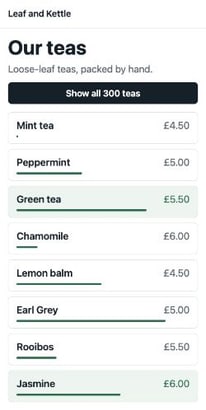 teas
- Bundleteas
Move the slider. Each frame is the last one Chrome had drawn by then, on the load in the middle of three. The code is the same on all three pages. Only the way it ships differs.
How the browser loads a module graph
The tea list's modules import each other. Together they form a module graph: a map of which file imports which. main.js is at the top. It imports app.js and two of React's files. app.js imports the tea page. And so on, down to money.js, which imports nothing.
How does the browser walk that graph? The HTML standard spells it out. For each module, it does four things, in order:
- It asks the server for the file.
- It waits until the whole file has arrived.
- It reads the file, and finds its import lines.
- It asks for every file those lines name, unless it already has it.
Step 4 is step 1 again, one level down. So the browser can't ask for a file until the file that imports it has arrived. Here is the tea list's longest chain, from main.js down to money.js:
// The modules page: when Chrome asked for each file on the way to money.js (ms).const chain = [ ["main.js", 608], ["app.js", 1185], ["teas-page.js", 1786], ["tea-list.js", 2362], ["tea-card.js", 2968], ["price.js", 3552], ["money.js", 4146],];for (const [file, asked] of chain) console.log(`${file}: asked for at ${asked} ms`);- Lines 3 to 9 hold seven files. Each has the moment Chrome asked for it, in ms.
- Line 11 prints one line for each, from
main.js: asked for at 608 mstomoney.js: asked for at 4146 ms.
Each file was asked for about 590 ms after the one before. That's one round trip on Asha's network, plus the moment the file took to arrive. Lesson 22.4 showed that DevTools' Slow 4G adds 562.5 ms to every request. Seven files meant seven of those trips, one after another.
And while the files were arriving, nothing ran. The browser runs a module graph only once every module in it has arrived and been linked. Linking connects each import to the export it names. The JavaScript lesson Module loading in browsers walks through it.
// The modules page: the last file, the first code, the teas (ms).const moneyArrived = 4725;const codeStarted = 4732;const teasOnScreen = 4925; console.log(`The code started ${codeStarted - moneyArrived} ms after money.js arrived.`);console.log(`The teas came ${teasOnScreen - codeStarted} ms after that.`);- Lines 2 to 4 hold three recorded times: when money.js arrived, when the page's code started, and when the teas appeared.
- Lines 6 and 7 print
The code started 7 ms after money.js arrived.andThe teas came 193 ms after that.
money.js is 42 bytes. It only writes a price, like £4.50. Yet the whole tea list waited for it.
A school play can't start until every actor is on stage. The lead came an hour early. The actor who says one line came last, stuck in traffic. The curtain still waited for him.
- In real life: Each actor
- In web performance: Each module
- In real life: The actor with one line
- In web performance: money.js, 42 bytes
- In real life: The curtain going up
- In web performance: The code starting to run
- In real life: Waiting for the last actor
- In web performance: Waiting for the deepest level
Why it matters: on a modules page, the slowest level holds back everything. A tiny file deep in the graph can cost as much time as a big one.
Deep import chains
Was it the number of files that made the modules page slow? There were 39. Here is the graph level by level. A file's level is how many steps it is from the page. main.js is level 1. The files it imports are level 2, and so on.
// The modules page, level by level: how many files, and when Chrome asked for the first (ms).const levels = [ [1, 608], [3, 1185], [3, 1773], [5, 2362], [24, 2968], [2, 3552], [1, 4146],];for (const [n, [files, asked]] of levels.entries()) console.log(`Level ${n + 1}: ${files} ${files === 1 ? "file" : "files"}, first asked at ${asked} ms`);- Lines 3 to 9 list seven levels. Each holds how many files it has, and when Chrome asked for the first of them.
- Line 11 goes through the list. Line 12 prints one line per level, from
Level 1: 1 file, first asked at 608 mstoLevel 7: 1 file, first asked at 4146 ms.
Look at line 7, level 5. It holds 24 files: tea-card.js and the 23 extras below the teas. Chrome asked for all 24 within 16 ms of each other. That's HTTP/2 at work: many requests at once, on one connection. And the next level began 584 ms after level 5 did. After level 1, which holds one file, the gap was 577 ms.
So the number of files cost little. The number of levels cost a lot. The time grows with the depth of the graph: the number of levels in its longest chain. It's like asking for directions in a town where each person knows only the next turn. Ten shops on one street don't slow you down. Ten turns do.
V8's guide to modules gives a simple rule. Native modules are fine in production only for small apps. That means "less than 100 modules in total", and "a maximum depth less than 5". The tea list has 39 modules, well under 100. But it's 7 levels deep.
Why it matters: keep import chains short. A helper that imports a helper that imports a helper adds a round trip each time. Try both pages, level by level:
- Level 1, 1 fileasked at 608 ms, all in by 1,182 ms
- Level 2, 3 filesasked at 1,185 ms, all in by 2,103 ms
- Level 3, 3 filesasked from 1,773 ms to 2,106 ms, all in by 2,691 ms
- Level 4, 5 filesasked at 2,362 ms, all in by 2,976 ms
- Level 5, 24 filesasked from 2,968 ms to 2,984 ms, all in by 3,745 ms
- Level 6, 2 filesasked at 3,552 ms, all in by 4,144 ms
- Level 7, 1 fileasked at 4,146 ms, all in by 4,725 ms
- The code started running4,732 ms
- Teas on screen4,925 ms
Pick a page. Each row is one level of the tea list's module graph: how many files it holds, when Chrome asked for them, and when the last one had arrived. Then when the code started, and the teas.
modulepreload for the whole graph
The second page used modulepreload, the hint from lesson 16.4 and lesson 22.4. It tells the browser about a module before anything imports it. The HTML standard says it "places the result into the appropriate module map for later evaluation." The module map is the page's list of the modules it has loaded. A preloaded module waits there until something imports it.
Lesson 22.4 used it for two chunks. Ravi's build goes further. It writes one line for every module in the graph:
<link rel="modulepreload" href="./src/main-RLGB5T4Z.js"><link rel="modulepreload" href="./vendor/react-dom-client-25HZSAN7.js"><link rel="modulepreload" href="./vendor/jsx-runtime-F7LXXYMP.js">…<link rel="modulepreload" href="./src/lib/money-BNM4P4AD.js"><script type="module" src="./src/main-RLGB5T4Z.js"></script>- Lines 1 to 3 are the first three modules, in level order: main.js, then two of React's files.
- Line 4 stands for 35 more lines. Line 5 is the last, for money.js.
- Line 6 is the module script, as before.
Back at the library desk. This time, your teacher gives you the whole reading list on the first day. You hand it over at once, and every book comes in one round. You still read them in order. But you never wait to find out what comes next.
- In real life: The whole reading list, on day one
- In web performance: One modulepreload line per module
- In real life: Every book in one round
- In web performance: Every file asked for at once
- In real life: Still reading them in order
- In web performance: The modules still run when main.js needs them
// The modules page, without and with modulepreload (ms).const without = { lastAsked: 4146, teas: 4925 };const preloaded = { lastAsked: 631, teas: 2035 }; console.log(`The last file was asked for ${without.lastAsked - preloaded.lastAsked} ms sooner.`);console.log(`The teas came ${without.teas - preloaded.teas} ms sooner.`);- Line 2 holds two recorded times without modulepreload: when Chrome asked for the last file, and when the teas appeared. Line 3 holds the same two with it.
- Lines 5 and 6 print
The last file was asked for 3515 ms sooner.andThe teas came 2890 ms sooner.
With the list, Chrome asked for all 39 files within 9 ms of each other, right after the HTML. Seven rounds became one. The teas came at 2,035 ms, close to the bundle's 1,812 ms.
The list has costs of its own:
- The page grew. 39 lines made the HTML 2,555 bytes bigger, or 172 bytes with Brotli. Rolldown's guide warns that thousands of such lines are "a performance issue in itself."
- A tool has to write it. Every module must be on the list, and the list changes with every build. Ravi's build writes it from the graph.
- Chrome fetches only what's listed. The HTML standard lets a browser also fetch a preloaded module's imports, but doesn't make it. Chrome's own code fetches the one file and stops there. web.dev advises listing "the flat list of its dependencies".
Why it matters: if you ship native modules, list every module the page needs. It turns a staircase of trips into one.
Import maps: short names and fingerprints
Ravi's import map does two jobs. Both are about names.
Short names for React
The extras import React like this: import { useState } from "react". But "react" isn't an address. It's a bare name: no ./, no /, no https:. On its own, the browser can't load it. A bundler looks such names up in node_modules. The browser can't.
Line 4 of the import map fills the gap. The lesson Module resolution & import maps covers every rule. For speed, three facts matter:
- The import map sits inside the HTML. MDN says its
srcattribute "must not be specified", so it costs no request of its own. - It must come before the module scripts that use it.
- It only changes addresses. Every file is still a request of its own.
Fingerprints in the map
The second job is about the cache. Say Ravi changes money.js. It gets a new fingerprint, so a new name. price.js imports it. If price.js named the file with its fingerprint, price.js would have to change too. Then tea-card.js, which imports price.js. And so on, all the way up to main.js.
Ravi's import lines keep the plain names, like ./price.js. The map holds the fingerprints. The HTML standard's own example maps /js/app.mjs to /js/app-8e0d62a03.mjs the same way. Here is Ravi's change:
// money.js, before the change:
export const money = (amount) => `£${amount}`;

// money.js, after it. The prices look the same.
const pounds = new Intl.NumberFormat("en-GB", { style: "currency", currency: "GBP" });

export const money = (amount) => pounds.format(Number(amount));- Lines 1 and 2 are money.js before the change: the £ sign, then the amount.
- Lines 4 to 7 are money.js after it. It uses the browser's own number formatter. The prices look the same: £4.50.
// Which files get a new name when money.js changes.const inImportLines = ["money.js", "price.js", "tea-card.js", "tea-list.js", "teas-page.js", "app.js", "main.js"];const inImportMap = ["money.js"]; console.log(`Fingerprints in the import lines: ${inImportLines.length} new files`);console.log(`Fingerprints in the import map: ${inImportMap.length} new file`);- Line 2 lists the files that would get new names if the fingerprints were in the import lines. Line 3 lists them with the fingerprints in the map.
- Lines 5 and 6 print
Fingerprints in the import lines: 7 new filesandFingerprints in the import map: 1 new file.
At a school, each timetable says "Maths with Ms Rao". It doesn't say which room. A noticeboard by the door lists each teacher's room. When Ms Rao moves to room 12, only the noticeboard changes. Nobody prints new timetables.
- In real life: "Maths with Ms Rao" on a timetable
- In web performance: An import line:
./money.js - In real life: The noticeboard by the door
- In web performance: The import map
- In real life: Ms Rao's room number
- In web performance: The file with its fingerprint:
money-BNM4P4AD.js - In real life: Ms Rao moving rooms
- In web performance: money.js changing
Why it matters: with the fingerprints in the import map, a changed file changes alone. Rolldown's guide says bundlers can use import maps the same way.
Coming back, and a one-file change
V8's guide points to the other side. Native modules "might decrease initial load performance (cold cache), but could actually improve load performance for subsequent visits (warm cache)." A cold cache is an empty one, on a first visit. A warm cache already holds the files.
So the course had Asha come back. It loaded each page once, closed the tab and every connection, then loaded it again in a new tab. Every script now came from the disk cache. Only the page itself crossed the network, because the shop checks it on every visit.
// Coming back, with every file in the cache: teas on screen (ms).const modules = 897;const bundle = 858; console.log(`Modules: ${modules} ms. Bundle: ${bundle} ms.`);console.log(`The difference: ${modules - bundle} ms.`);- Lines 2 and 3 hold when the teas appeared on the second visit, in ms.
- Lines 5 and 6 print
Modules: 897 ms. Bundle: 858 ms.andThe difference: 39 ms.
The seven levels were still there. But each one now took a moment, not a round trip. With a warm cache, the depth hardly mattered.
Then Ravi published his change to money.js. Asha came back once more:
// Coming back after the change to money.js: bytes downloaded, and teas on screen (ms).const modules = { bytes: 1372, teas: 1509 };const bundle = { bytes: 76660, teas: 1858 }; console.log(`Modules: ${modules.bytes} bytes, teas at ${modules.teas} ms`);console.log(`Bundle: ${bundle.bytes} bytes, teas at ${bundle.teas} ms`);- Lines 2 and 3 hold, for each page, the bytes that crossed the network and when the teas appeared.
- Lines 5 and 6 print
Modules: 1372 bytes, teas at 1509 msandBundle: 76660 bytes, teas at 1858 ms.
On the modules page, two files crossed the network: the page, and the new money.js. The other 38 came from the cache. The bundle's name had changed too, because its content had. So Asha's phone downloaded all of it again, React included. It's lesson 15.2's ring binder: swap one page, instead of printing the whole book again.
Why it matters: if your visitors come back often, and you publish often, small files let a change cost only what changed. Pick each visit below. The page with modulepreload is there too:
- Modules: files1 from the network, 39 from the cache
- Modules: downloaded1,173 bytes
- Modules: could answer a tap897 ms
- Modules + preload: files1 from the network, 39 from the cache
- Modules + preload: downloaded1,345 bytes
- Modules + preload: could answer a tap906 ms
- Bundle: files1 from the network, 1 from the cache
- Bundle: downloaded624 bytes
- Bundle: could answer a tap858 ms
Pick a visit. The rows show, for each version, how many files crossed the network and how many came from the cache, the bytes downloaded, and when the page could answer a tap.
When bundling still wins
So who was right? Here is every visit side by side. Read each row across: how the tea list was sent, when it could answer a tap on each visit, and what the change cost.
| How the tea list ships | First visit: could answer a tap | Coming back | After the change | Downloaded after the change |
|---|---|---|---|---|
| Native modules | 4,925 ms | 897 ms | 1,509 ms | 1,372 bytes |
| Native modules with modulepreload | 2,035 ms | 906 ms | 1,446 ms | 1,527 bytes |
| One bundle | 1,812 ms | 858 ms | 1,858 ms | 76,660 bytes |
On the first visit, the bundle won. On the visit after a change, the modules won. With the cache full and no change, all three were within 50 ms. Three things kept the bundle ahead on the first visit.
It packs smaller
// The tea list's JavaScript with Brotli, three ways (bytes).const oneByOne = 91359;const joinedFirst = 76963;const bundled = 75956; const kb = (bytes) => (bytes / 1024).toFixed(1);console.log(`39 files packed one by one: ${kb(oneByOne)} KB`);console.log(`The same 39 files joined, then packed: ${kb(joinedFirst)} KB`);console.log(`The bundle: ${kb(bundled)} KB`);- Lines 2 to 4 hold the tea list's JavaScript with Brotli: the 39 files packed one by one, the same 39 joined into one file before packing, and the bundle.
- Lines 7 to 9 print
39 files packed one by one: 89.2 KB,The same 39 files joined, then packed: 75.2 KBandThe bundle: 74.2 KB.
Brotli finds repeats only inside one file, as lessons 22.2 and 22.4 showed. Joined first, the same code packed 14 KB smaller. The bundler saved 1 KB more, partly because it doesn't need the import and export lines between files.
It makes one request
The bundle is one request. The modules page made 39, in seven rounds. Even with modulepreload, the 39 files shared Asha's slow line. The last one arrived 236 ms after the bundle had. Rolldown's guide puts it plainly: "HTTP/2 does not mean you can stop caring about number of HTTP requests."
It needs a build step either way
Ravi didn't really drop his build. He still turned JSX into JavaScript, added fingerprints, and wrote the import map and the list. Rolldown's guide says Rails' own setup does the same. Its files "still go through a build step in order to fingerprint the assets and generate the import map and modulepreload directives."
Moving house, you can hire one van, packed tight. Or you can send forty taxis, each with a box. The taxis can all leave together. But each one needs its own booking, and its own space around the box. The van carries the same things in less room.
- In real life: One van, packed tight
- In web performance: One bundle
- In real life: Forty taxis
- In web performance: 39 modules
- In real life: Booking each taxi
- In web performance: A request for each file
- In real life: Space around each box
- In web performance: Brotli packing each file on its own
The middle way is lesson 22.4's: a few chunks, the files a bundler splits the code into, each named in the page with modulepreload. Each chunk packs well, and a change re-sends only the chunk that holds it. web.dev's article on modulepreload says the same: "consider bundling your application into several chunks". V8's guide sums it up: "continue using bundlers before deploying modules to production."
Why it matters: bundle for first visits. Native modules suit small, shallow apps, pages people come back to often, and your own computer while you write the code.
Modules or a bundle?
Here are six places JavaScript ships. Sort each one by how its code should go out:
- A shop's app with 400 modules, opened by many first-time visitors on phones
- A landing page that most people see once
- An app that imports a package shipped as hundreds of small files
- A settings page with 8 shallow modules, used every day by the same staff
- Your own computer while you write the code
- A small widget of 12 modules, 3 levels deep, with a modulepreload line for each
Sort each case by how its JavaScript should ship.
Common mix-ups
- "HTTP/2 makes many small files free." No. It asked for level 5's 24 files at once. But it couldn't skip the seven levels. The modules page showed the teas 3.1 seconds after the bundle.
- "A tiny module is quick to load." No. money.js is 42 bytes. Seven levels down, Chrome asked for it at 4,146 ms.
- "modulepreload on main.js fetches its imports too." No. The HTML standard allows it, but Chrome fetches only the file named. List every module.
- "An import map costs a request." No. It sits inside the HTML. It can't have a
src. - "Native modules send less code." No. Packed one by one, the tea list's 39 files were 15 KB bigger than the bundle.
- "A changed file always means one download." No. Only if the files that import it keep their names. With the fingerprints in the import lines, a change to money.js renames 7 files.
Practice exercises
Answer each one first, then open the hints if you need them.
Four small modules import each other like this. Counting shop.js as level 1, how many levels does the browser walk?
// shop.js
import { cart } from "./cart.js";

// cart.js
import { tax } from "./tax.js";
import { money } from "./money.js";

// tax.js
import { rates } from "./rates.js";4. shop.js is level 1, cart.js level 2, tax.js and money.js level 3, and rates.js level 4. Without modulepreload, that's four rounds of requests.
Ravi changes strength-bar.js. Its fingerprint lives in the import map. On Asha's next visit, how many JavaScript files does her phone download?
1. strength-bar.js gets a new fingerprint, so a new name. tea-card.js still imports ./strength-bar.js, so it keeps its name. Only the map's line changes, and the page is checked on every visit anyway.
On the page with modulepreload, by when had every file of level 2 arrived, in ms?
1,843 ms. One of level 2's files is large, so it was the last file of the whole graph to arrive. The code started 5 ms later.
Coming back after the change, when could Asha tap on the page with modulepreload, in ms?
1,446 ms, sooner than the modules page's 1,509 ms. The page listed the new money.js, so Chrome asked for it at once instead of walking six levels of the cache first.
Open the course's copy of the modules page in Chrome. In DevTools' Network panel, which JavaScript file is the biggest?
react-dom-client-25HZSAN7.js, React DOM's client code. It's more than half of the page's JavaScript. On every version, it's the biggest thing the tea list sends.
Suppose Ravi's import lines held the fingerprints, with no import map for them. He changes show-all-button.js. How many of the tea list's files get a new name, show-all-button.js included?
4: show-all-button.js, teas-page.js, app.js and main.js. Each file that names a renamed file in its import lines changes, and gets a new name too.
Check your understanding
For each question, ask two things: when could the browser find the file, and did it have to cross the network?
Question 1 of 7What does the levels example print for level 5?
Read the code, then predict// The modules page, level by level: how many files, and when Chrome asked for the first (ms). const levels = [ [1, 608], [3, 1185], [3, 1773], [5, 2362], [24, 2968], [2, 3552], [1, 4146], ]; for (const [n, [files, asked]] of levels.entries()) console.log(`Level ${n + 1}: ${files} ${files === 1 ? "file" : "files"}, first asked at ${asked} ms`);Choose an answer to see the explanation.
Question 2 of 7Why did Chrome ask for money.js so late on the modules page?
Choose an answer to see the explanation.
Question 3 of 7Why did the teas wait for money.js, a file of 42 bytes?
Choose an answer to see the explanation.
Question 4 of 7What does a modulepreload line for every module change?
Choose an answer to see the explanation.
Question 5 of 7Why can one changed file stay one new download when the fingerprints live in the import map?
Choose an answer to see the explanation.
Question 6 of 7Coming back with every file in the cache, why were the three versions so close?
Choose an answer to see the explanation.
Question 7 of 7When does one bundle still win?
Choose an answer to see the explanation.
Key takeaways
- The browser finds a module's imports only by reading it, so it loads a module graph one level at a time.
- Each level costs a round trip. The depth of the graph matters more than the number of files.
- A module graph runs only when every module has arrived. The deepest file holds back the whole page.
- One modulepreload line per module turns the levels into one round. Chrome fetches only what's listed.
- An import map gives bare names an address. Holding the fingerprints, it lets one change touch one file.
- One bundle won the first visit; native modules won the visit after a change. Bundle, or split into a few chunks.
Remember the one-liner.
Modules load one level per round trip: list them up front, keep chains short, and bundle when first visits matter.
Sources
The facts on this page come from these standards, docs and source code:
- importmap-rails README (v2.2.3), Rails.
- Why Vite, Vite.
- Fetching scripts, HTML Living Standard, WHATWG.
- JavaScript modules, V8.
- Link type "modulepreload", HTML Living Standard, WHATWG.
- preload_helper.cc: what Chrome fetches for modulepreload (157.0.8103.52), Chromium source.
- Preload modules, web.dev.
- Import maps, HTML Living Standard, WHATWG.
- <script type="importmap">, MDN.
- Why do we still need bundlers?, Rolldown.
Coming next: The cost of hydration. The tea list's code now arrives fast. Next, what that code still has to do when the server has already drawn the page.